Run External Scripts When a Rule Matches
Policy rules can block, tag and rewrite messages on their own, but sometimes a match needs to trigger something outside the mail flow entirely - a chat notification, a ticket in another system, or a virus scan tool with no native Postfix integration. Building that hook yourself usually means writing and maintaining a custom milter just for one integration.
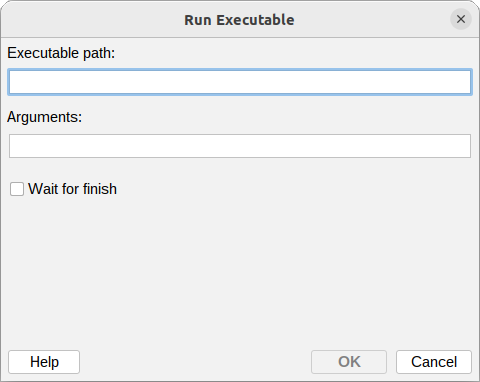
The Run executable action skips that step. Point a rule at a program or script on the milter
host, and MSH Postfix Milter runs it whenever the rule matches. The Arguments field accepts
variables such as {message:subject} and {message:envelope:sender}, so the script gets the
details of the actual message that triggered it instead of a generic alert.
Synchronous or fire-and-forget
Wait for finish controls how the action behaves. Turn it on and the rule waits for the program to complete before moving on, which matters when later processing should depend on the script’s result. Leave it off and the program starts in the background while message processing continues immediately, the safer choice for anything that is not instant.
The script runs on the milter host with the milter’s own permissions, so only point this action at executables you control and trust, and keep long-running programs out of synchronous mode so they do not stall mail delivery.
To learn more visit MSH Postfix Milter website.