MSH Autoresponder
Postfix
We have ended support and sales of MSH Autoresponder. We recommend migrating to our actively maintained successor, a modern Postfix milter built on years of experience with this product.
Visit postfix-milter.com →
MSH Autoresponder is a Postfix milter that allows you to create server side auto responses on the basis of configurable criteria.
Application integrates with MTA (mail transport agent) through official and standardized Milter API.
With the administrative desktop application you will create and manage auto response rules, like common auto reply messages, vacation e-mails, marketing or support auto replies.
Features
You have control over auto reply subject, body content and additional custom headers. Subject and body content support LDAP variables so each auto reply message can be personalized based on an auto reply sender.
Use multiple options in which an auto reply rule will be active. With this functionality you can create rules which will send auto replies all the time, only on holidays, Christmas or specified hours.
Autoresponder rule can send a forward to your assistant when you are out of office. Changing the subject of the forward is very useful when you want to distinguish it from the original message.
When other auto reply software does not follow the standards there is a possibility to create a loop between servers. With this protection you will define how many times the application will send auto replies in a specific period of time (ie. in an hour) to the same recipient.
Many options give you a possibility to set restrictions for users to view, edit, create or simply connect to the application. I.e. each department in your company can have an account and restricted access to edit and see only its own rules.
Application can integrate with LDAP, so auto replies can be personalized with data from a directory service.
Screenshots
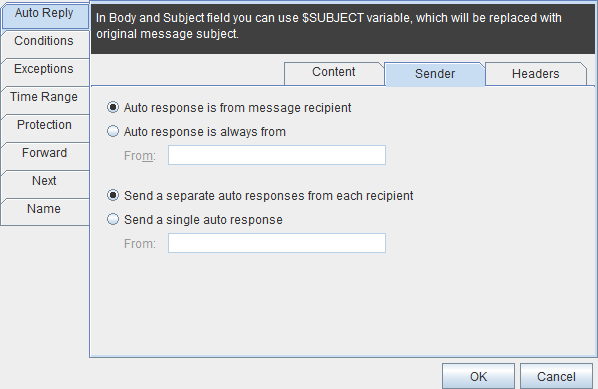 Auto Reply Sender Configuration
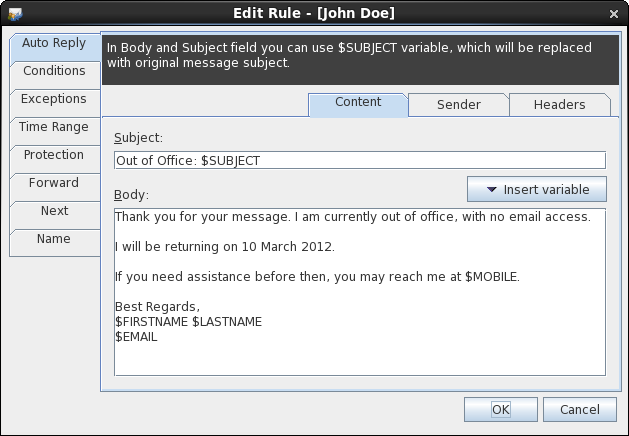 Auto Reply Wizard
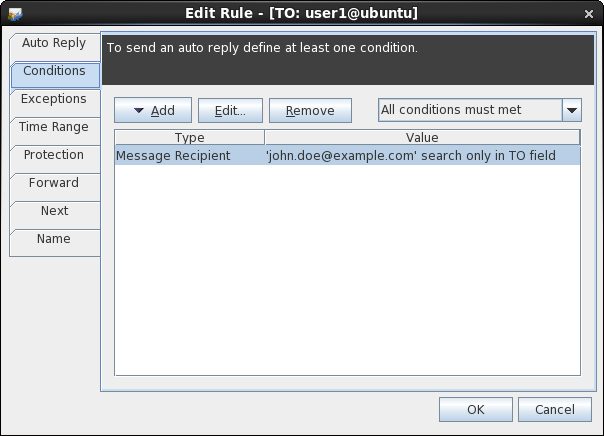 Wizard - Conditions
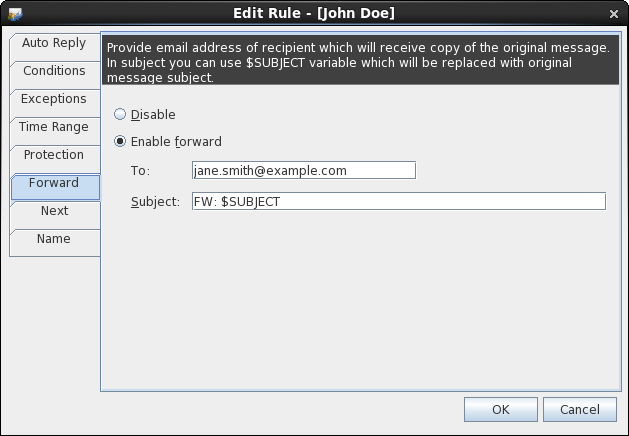 Wizard - Forward Configuration
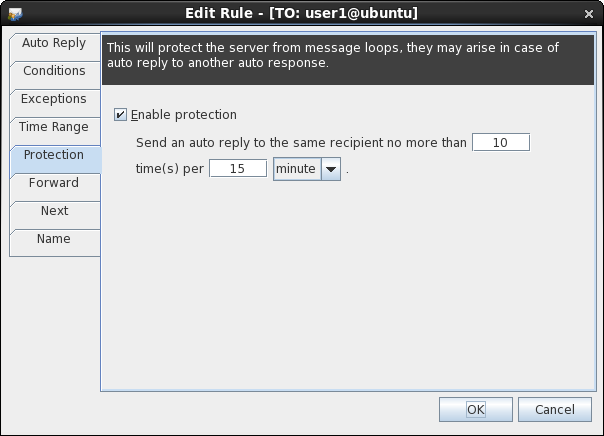 Wizard - Loop Protection
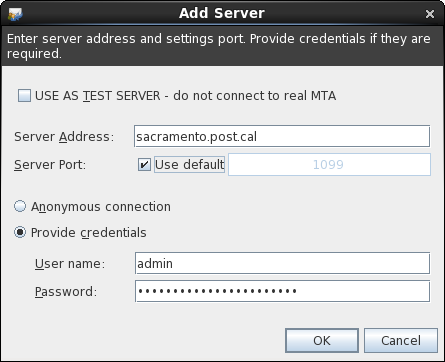 Add Server Dialog
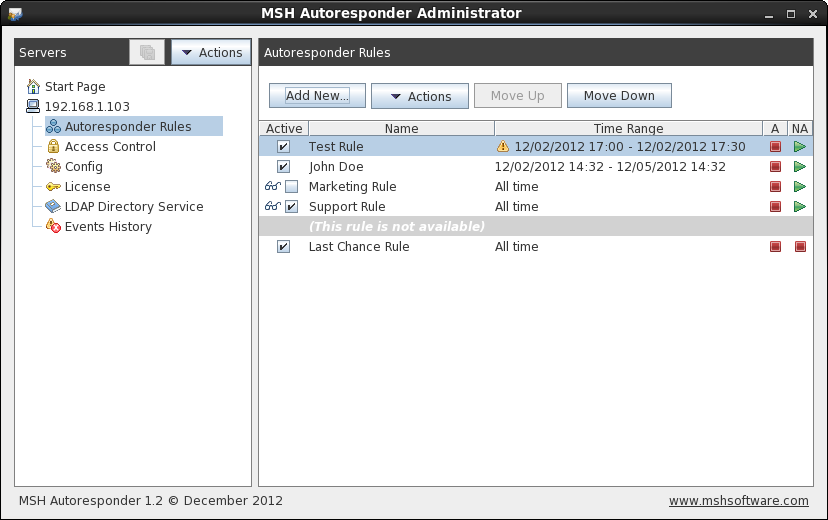 Main Application Window
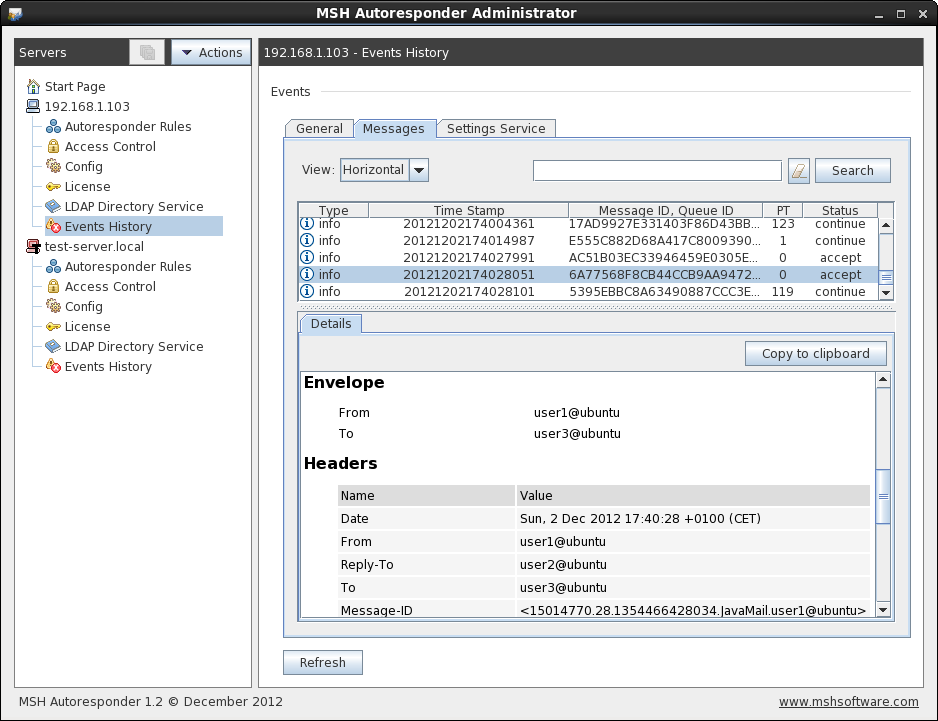 Events and Messages Log
Documentation
Click the following link to open MSH Autoresponder documentation.
If you have any questions or suggestions please do not hesitate to contact us at contact@mshsoftware.com.
Download version 1.5.22
 Linux
Linux Windows
After installation application will be working in demo mode. Auto replies will be sent to max 10 different users.
Release History
- new Transport Layer Security (TLS) option communication for milter
- fix loop protection per rule fix
- fix on Windows 2008R2 there was a problem with cloning or creating a new rule
- fix sometimes WRONG_DOCUMENT_ERR or HIERARCHY_REQUEST_ERR occur while processing internal messages
- new option to switch between RMI connection and direct access to settings file
- new advanced time scheduling
- new by default application works in demo mode (10 CALs)
- new any or all type for matching conditions/exceptions
- new more loop protection invervals (minute/hour/day/week)
- new xml messages log viewer in Events History
- new logs settings configuration
- new TCP milter and settings ports configuration
- new
--versionparameter in installation script - fix
-Dfile.encoding=UTF8parameter added to daemons start scripts - fix windows installer appearance (icons, shortcuts)
- fix (sometimes) sender's e-mail address was chosen wrong
- new Server token is now logged in settings service log file
- fix Error while connecting with Admin tool to MTA server ("no such object in table")
- new Final version
- new 1098 tcp port for bidirectional communication
- fix LDAP configuration page bug
- fix more human readable error information when cannot connect to server
- fix loop protection was working nevertheless rule was not matched
- change
master.cfgfile renamed to settings.xml - change
msh-ar-update-confscript renamed tovalidate.sh - change from table control to text area on Events Viewer page
- change removed
config.cfgfile
- new Access Control
- new Event Viewer
- new Custom headers on auto reply
- new Additional condition type (without value) in Header requirement
- new Forward functionality
- new Beta period extended to 17 Sep, 2012
- new
remove.shscript in/opt/msh-autoresponderdirectory - fix Bug in
msh-ar-update-confwhile validating rules node - fix Performance improvement in message logger
- new Start Page tree node
- new test MSH Autoresponder Admin without connection to real MTA server
- new License tree node
- new LDAP configuration tree node
- new copy autoresponder rules to another server
- fix error while Move Up last rule
- new Next page in autoresponder wizard
- new separate Windows and Linux installers
- new refreshed look & feel
- new prioritized autoresponder rules
- new additional options to operate on autoresponder rules
- new extended Time Range of hours
- new admin application installing in
$HOMEdirectory - new additional option in milter installer
--skip-java-version-check - fix update-conf cannot validate search type
- fix
$JAVA_HOMEcannot be found while daemons starts
- new update option in installation script
- fix when MIME message had a non standard TO header, matching recipients was not working correctly
- new support for text editable configuration files
- new all-in-one installation script (install/remove)
- new abandon short-term serialization (now using xml for serialize/deserialize)
- new log files in xml format
- fix loop protection sometimes not worked correctly
- fix dates presented in english locale
- fix cosmetic changes to the server tree
- new support for LDAP - variables in the auto-response body (only anonymous connection to localhost)
- fix in rare situation envelope sender was empty - there was no chance to send auto-response - now MIME sender is used
- new support for Postfix 2.4 and later
- new Header condition and exception
- new expanded Recipient condition and exception - with option to search in TO/CC/BCC fields
- new rewriting auto-response sender address
- new specify the behavior of the program during a conflict situation with a multiple matched recipients
- new option to save last server address input
- fix link to website on linux desktop doesn't work
- fix cosmetic changes to the exception message box
- new First version