Automatically add attachment to the messages
We have ended support and sales of MSH Traffic Policy. We recommend migrating to our new and actively maintained solution - a modern Postfix milter built on years of experience with this product.
Visit www.postfix-milter.com →When you need to add an attachment to every message or only to part of messages (like from a specified sender, recipient or by message subject) check the description below. MSH Traffic Policy with the Add Attachment action will be the best solution for this scenario.
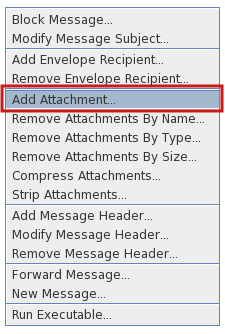
After defining conditions choose Add Attachment action from the menu.
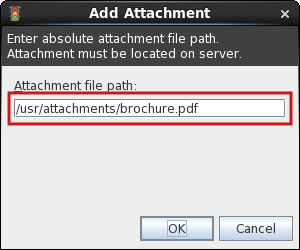
In the newly opened window enter an absolute path to the file which will be attached to messages (the file needs to be located on the mail server). In this example /usr/attachments/brochure.pdf file will be used.
After saving changes, to all messages which are matching conditions brochure.pdf attachment will be added.
To learn more visit MSH Traffic Policy website.