Disclaimers Only on Mail That Leaves the Company
Many companies have to end every outgoing email with a confidentiality notice and the company’s registered details. Customers should get it. Colleagues do not need to read it fifty times a day, and a customer thread should not collect one more copy with every reply. Asking users to paste it into their own signatures gives you every version of the text except the current one.
Outgoing mail only
A disclaimer rule in MSH Zimbra Rules adds the text on the server, as the message passes through Zimbra’s Postfix, whichever mail client the sender used. The Message direction condition decides where it goes. Zimbra Rules knows your mail domains from the Zimbra directory, so it can tell Internal mail between colleagues from Outgoing mail to the outside world and Incoming mail from it.
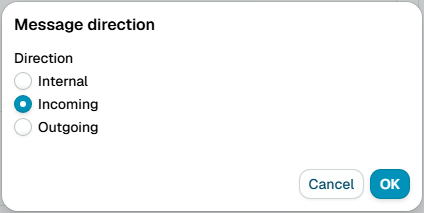
With the condition set to Outgoing, a message to a customer ends with the disclaimer and a message to a colleague does not. A message to a colleague and a customer at the same time counts as outgoing, so the customer always gets it. The same rule can put the text at the top of the message instead, or be limited further, for example to one domain of a multi-domain server.
Once per thread
Long conversations are where server-side disclaimers usually go wrong: every reply quotes the previous message, and every pass through the server adds the text again. The Duplicates protector of the rule recognises a disclaimer that is already in the message and does not add another copy. Its sensitivity can be tuned when your disclaimer is short or often edited by replies.
The disclaimer itself is a template, in HTML with a plain text version, imported from your own files or built in the designer, and kept in one place for every rule that uses it.
Read more in the Disclaimer rules documentation and the Add a legal disclaimer to external mail only in Zimbra article.
To learn more visit MSH Zimbra Rules website.