MSH Zimbra Rules 1.4 Released
Until now MSH Zimbra Rules worked on the message: its signature, its disclaimer, its attachments. Version 1.4 moves one step earlier, into the SMTP conversation itself, where a server decides who may connect, who may send and how much. It also verifies DKIM before any rule changes a message, and lets rules show a notice in the Zimbra web client without touching the message at all.
SMTP rules
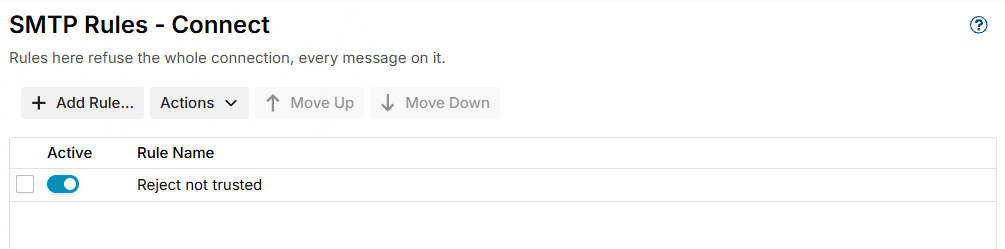
SMTP rules decide before the message is sent, with a page for each stage of the conversation: Connect, HELO, Sender, Recipient and Data. A rule refuses permanently, temporarily or with your own reply, and at the Recipient stage only that recipient is refused. New conditions look at who connected: the client address or host name, the HELO name, the authenticated user, whether the mail came in on port 25, submission or webmail, and the number of recipients. Address lists keep networks, addresses and domains that many rules share, starting with trusted networks and exempt senders.
Sending limits
Limit rules set at most a number of messages, or a total size, per sliding or calendar period, counted per sender, domain, recipient or client network. The counters survive restarts and are shared by all servers, and an administrator can be told when one is full. The new SMTP Events and Message Limits pages show what was refused and how full every counter is.
DKIM and message banners
The milter now verifies DKIM signatures before any rule changes the message and writes the result
into Authentication-Results, and a DKIM result condition acts on it. New policy rule actions
put a banner above a message, or a tag next to the sender, in the Zimbra web client, shown by the
new Message Notices zimlets for the Classic and Modern clients.
Also in this release
- The Rules Tester simulates an SMTP connection: client, port, HELO name, login and DKIM result.
- The Servers page shows each milter’s load, and the milter lets running messages finish before it stops.
- The directory sync uses StartTLS by default, and its password is stored encrypted.
- The navigation of the administrator panel is grouped into Rules, Content, Logs and Settings.
The full list is in the release history.
Read more in the SMTP rules, Limit rules and DKIM verification documentation.
To learn more visit MSH Zimbra Rules website.