Attach the Same File to Every Message
Some documents should travel with certain mail every time: the terms and conditions with every offer, the current price list with every message from sales, a privacy notice with mail to new customers. Asking users to attach them by hand means some forget, and others keep sending last year’s version from their desktop. When the server attaches the file, every matching message gets it, and always the same version.
Upload once, attach everywhere
MSH Postfix Milter keeps such files on the Attachments page, a central store introduced in version 1.1. A file is uploaded once from your desktop and distributed to the mail server together with the settings, so nobody has to copy it onto the server. The Add attachment policy rule action then attaches it to every message the rule matches.
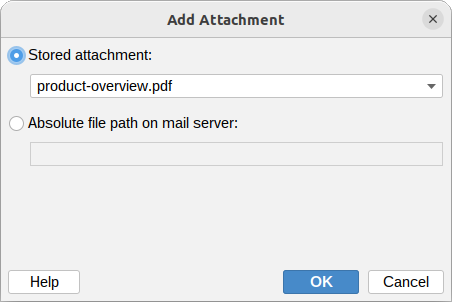
When a new price list comes out, you upload it and point the rule at it, instead of telling every salesperson. A file that is not uploaded can also be read straight from a path on the mail server, and the path may contain variables, so the file can depend on the message being processed.
Only the messages that need it
The action belongs to a policy rule, so its conditions decide who gets the file:
- only outgoing mail, so colleagues do not receive the price list on every internal reply,
- only mail from the members of the sales group,
- only messages whose subject contains a word such as “offer”.
The same stored files can be attached to autoreplies and to messages sent by the New message action, so one upload serves all three.
The Rules Tester attaches the real stored file to the test message, so you see exactly what recipients will receive before the rule goes live.
Read more in the Add attachment and Attachments documentation.
To learn more visit MSH Postfix Milter website.