Leave Encrypted and Signed Mail Alone
A digital signature promises the recipient that the message arrived exactly as the sender wrote it. Add a disclaimer at the bottom on the way out, and that promise is broken: the recipient’s mail client reports an invalid signature. An encrypted message cannot be changed at all, since the server cannot read it. Mail servers that change messages need to know which ones to leave alone.
Recognised from the message itself
Since version 1.3, the Message type condition has two more choices next to New, Reply and Forward: Encrypted and Signed. They cover S/MIME and OpenPGP, both as MIME parts and as inline PGP text, and are recognised from the structure of the message, not from a subject or a header the sender could set.
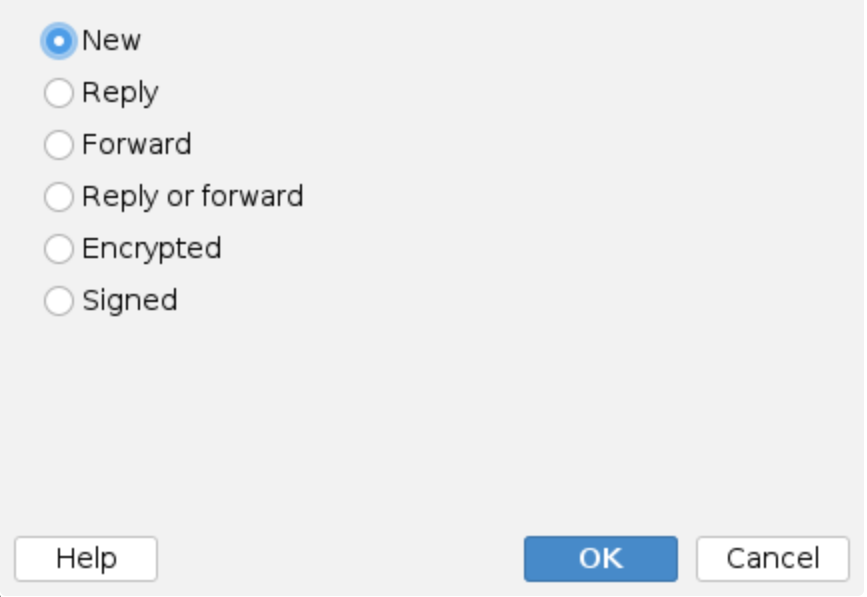
The checks avoid the usual false alarms. A DKIM or ARC signature added by Gmail or Outlook.com does
not make a message signed, because it is the domain’s signature, not the sender’s. A message that
merely carries a signed attachment, such as a .p7m file, is not treated as signed either. And a
signed message to which a mailing list appended a footer still counts as signed.
Skip them, or act on them
Signature and disclaimer rules already leave signed and encrypted messages alone, since adding text would break the signature or could not be done at all. For everything else you decide:
- as an exception, to keep a rule away from protected messages,
- as a condition, to act on them, for example to add a note to the subject or to route them elsewhere.
Encrypted and signed are independent of the other types, so an encrypted reply is both a reply and encrypted. The processing trace in Events History shows what each message was recognised as.
Read more in the Message type documentation.
To learn more visit MSH Postfix Milter website.