Move Your Milter Configuration to a New Server
Sooner or later the mail server moves: new hardware, a newer distribution, a second server next to the first. Postfix comes across with a few configuration files. The rules, templates, stored attachments and directory settings of the milter should come across just as easily, without rebuilding a single rule by hand.
One file with everything
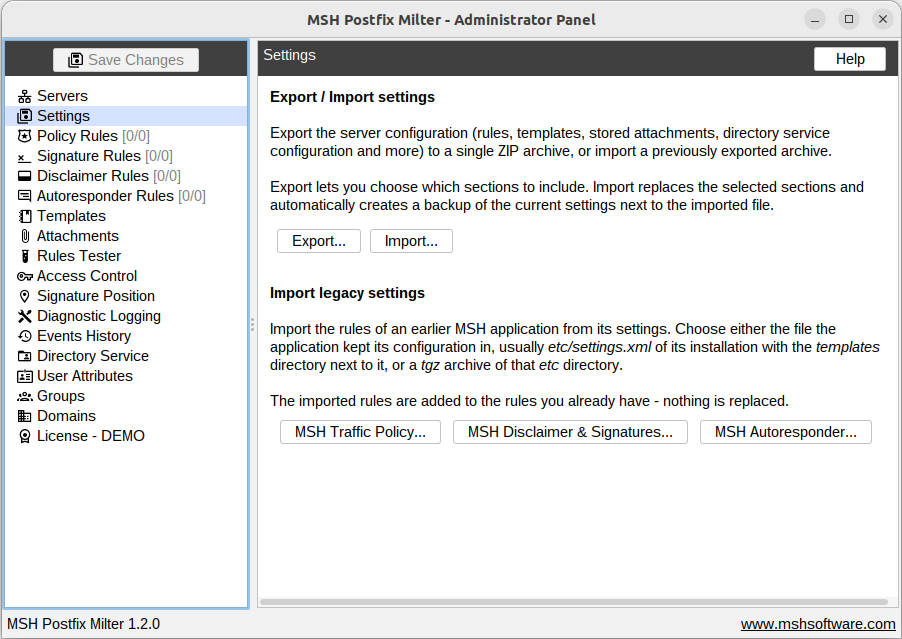
The Settings panel exports the server configuration into a single ZIP archive: policy, signature, disclaimer and autoresponder rules, templates, stored attachments, signature positioning, the directory service connection and the server configuration. On the new server, Import… reads the archive and shows which version it was exported with, when, and which sections it contains.
Choose what moves
Sections can be chosen on export and again on import. Bring only the templates to a test server, or everything except the directory connection when the new server talks to a different directory. Imported sections replace the current ones, and sections left out stay as they are.
Two sections are unchecked by default, on purpose. Access control holds the administrator accounts and their credentials, so it goes into an archive only when you tick it and know where the file will be kept. Rules processing switches stay unchecked on import, so an archive from a server whose rules were paused does not quietly pause the rules on the new one.
A way back
Before an import is applied, the current settings are saved next to the imported file as a backup archive. If the result is not what you expected, importing that backup restores the previous state. The same export is a simple way to keep a copy of your configuration before a larger change, and an archive from a newer version can still be imported, with the sections the older version does not know skipped.
Moving from one of the earlier MSH applications instead? That works with a separate legacy import.
Read more in the Settings documentation.
To learn more visit MSH Postfix Milter website.