Pause All Rules Without Deleting Them
Sometimes the milter has to step aside for a while. A mail migration is under way, a problem is being investigated and you need to see the mail as the users sent it, or a new signature rule misbehaves on a Friday evening and the person who wrote it has gone home. Until now that meant unticking rules one by one, and later trying to remember which ones had been active before.
One switch for everything, one per rule type
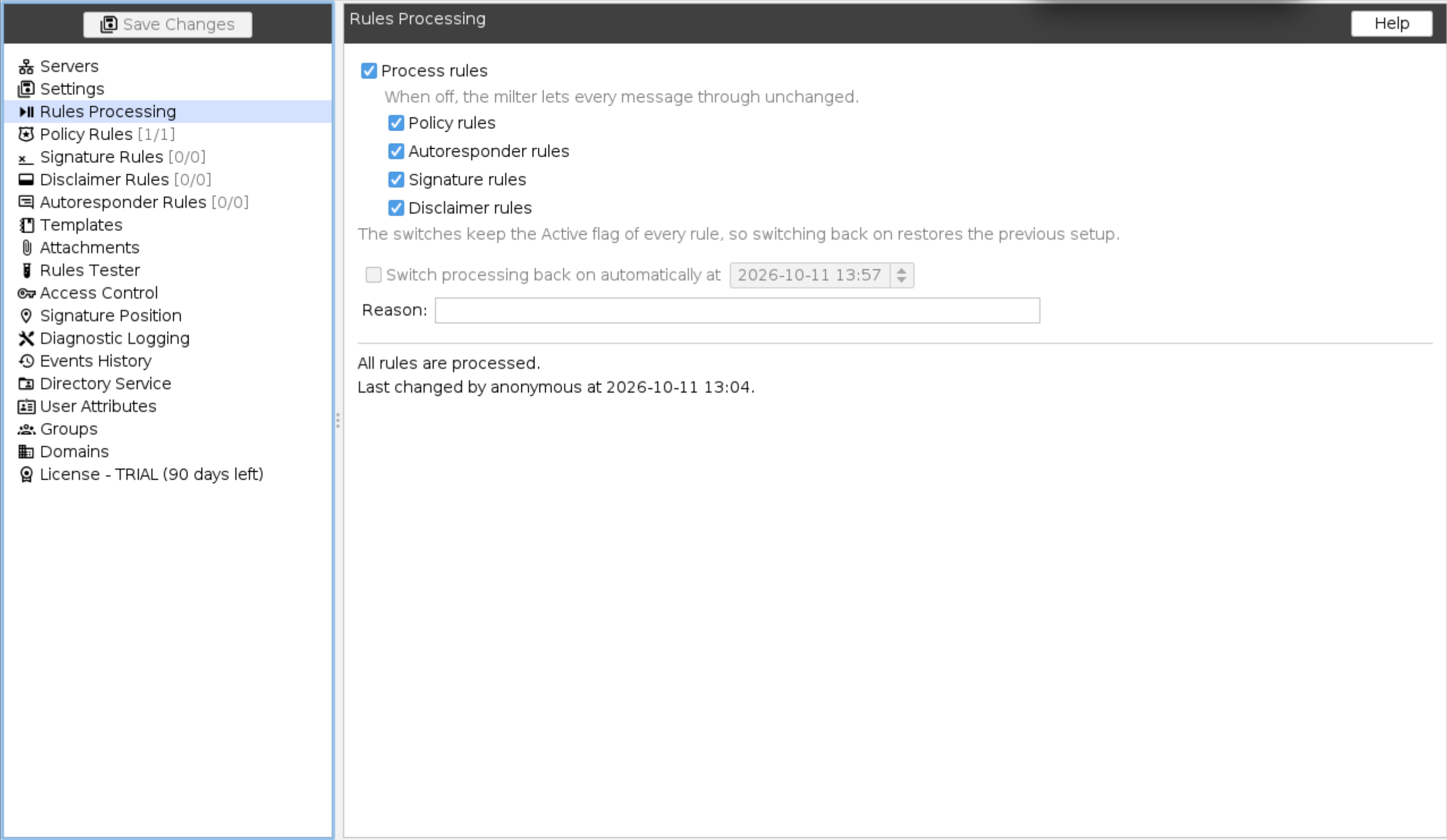
Version 1.3 adds the Rules Processing panel. Its master switch, Process rules, lets every message through unchanged. Below it there is one switch for each rule type: policy, autoresponder, signature and disclaimer rules. Switch off only the signatures, and policy rules keep blocking and rewriting messages as usual.
The switches sit in front of each rule’s Active flag and do not change it. Rules that were active stay active, rules that were inactive stay inactive, so switching processing back on restores exactly the setup you had.
Until a set time, with a reason
A suspension can end by itself: set a date and time, and the first message after that moment is processed again, without anyone opening the Administrator Panel. An optional Reason, such as “Migrating the signature templates”, is shown to the other administrators and written to the processing trace of every message that passes through.
Nobody is left guessing
While anything is suspended, the rule panels show a yellow bar saying so, and the status line names who made the change and when. The Events History trace explains why no rule was applied to a message, and the Rules Tester gives the same result as the server, so you can check your rules with the switches on before turning processing back on.
Read more in the Rules Processing documentation.
To learn more visit MSH Postfix Milter website.