Templates and the Content Library - Write Once, Use in Every Rule
On a Zimbra server, the company’s signature and disclaimer can easily exist in a dozen copies: in each mailbox, in a shell script, in a wiki page someone was meant to keep current. When the legal text changes or the logo is redesigned, the hard part is not writing the new version, it is finding every place the old one lives.
One library, many rules
MSH Zimbra Rules keeps everything rules insert into messages in the Content library. Templates hold the HTML and plain text of signatures and disclaimers. Attachments hold the files that policy and autoresponder rules add to messages, uploaded once from your desktop. A rule only points at the content, so several rules can share one template, and a change to the template reaches all of them at once.
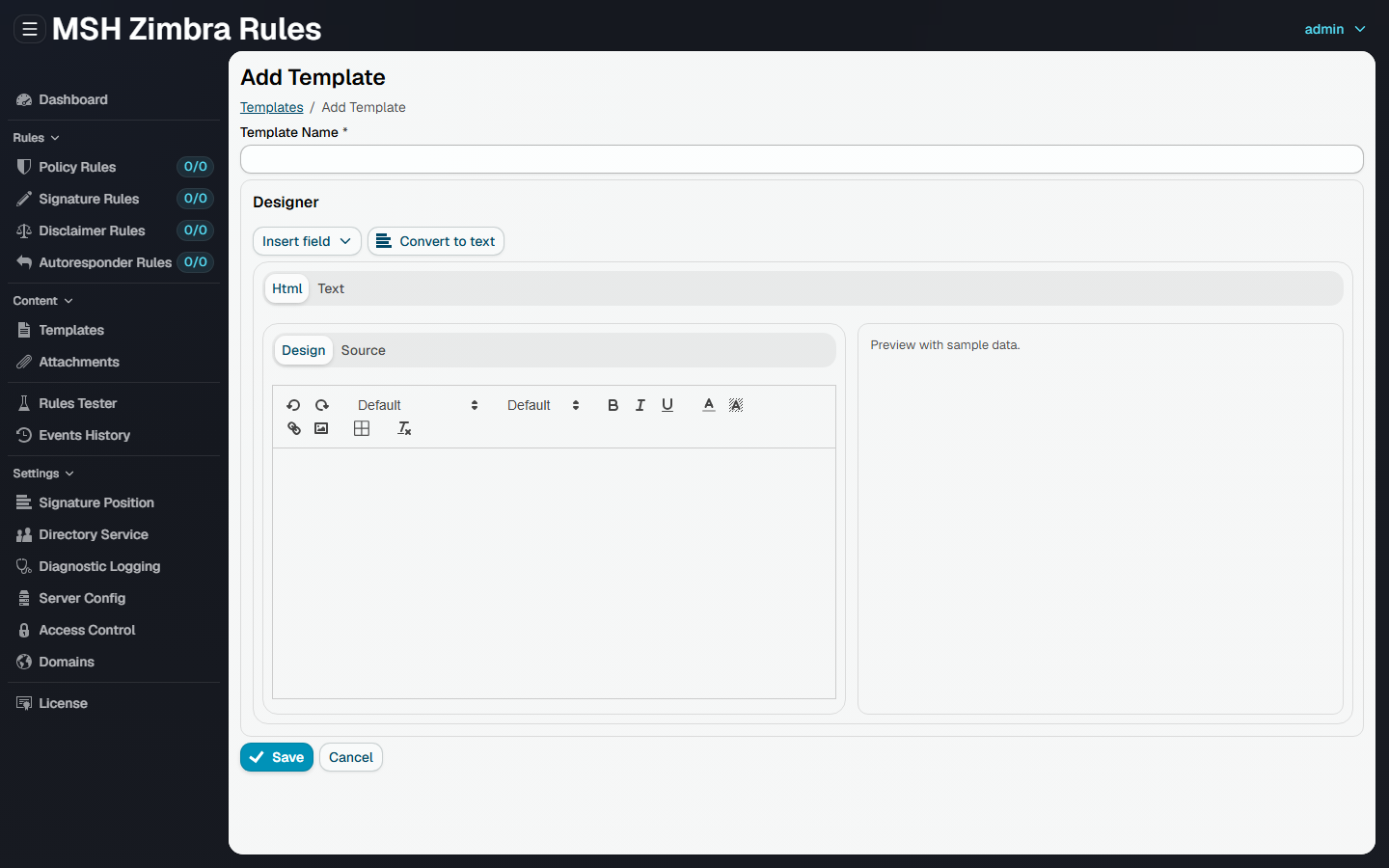
Three ways to build a template
The signature wizard makes a first personal signature from a layout, a font and a size. The
designer edits the HTML visually or as source, with the plain text version next to it and
placeholders such as {displayName} or {jobTitle} from the Insert field menu. Import from
files takes the HTML your designer already made, an optional text version and its images.
Images are where HTML mail usually breaks, so each template says how they travel: attached to the message as inline images, shown without an internet connection; embedded in the HTML; or left as links to a public web address.
See it before anyone else does
The preview shows a template with the details of any user from your Zimbra directory, so you see the long job title and the missing phone number before your colleagues do. It is marked Preview only, because Zimbra, Outlook, Gmail and phones all draw HTML a little differently: a real message through the server shows the final look.
Read more in the Templates and Content library documentation.
To learn more visit MSH Zimbra Rules website.