Find Executables Hidden Inside ZIP Files
Blocking .exe attachments is a good start, and senders of malware know it. So the program
arrives inside a ZIP, the ZIP inside another ZIP, or in an archive protected with a password that
is helpfully written in the message body. A rule that looks only at the attachment sees an
archive and lets it through, and so does a virus scanner that cannot open it.
Look at the files inside
The Archive content condition, added in version 1.3, opens ZIP, 7z, RAR and TAR attachments,
including .tar.gz and gzip files, and matches on the files they hold. A new condition already
lists the file types Windows runs when double clicked, from *.exe and *.scr to *.js,
*.lnk and *.iso, so it is useful from the first minute.
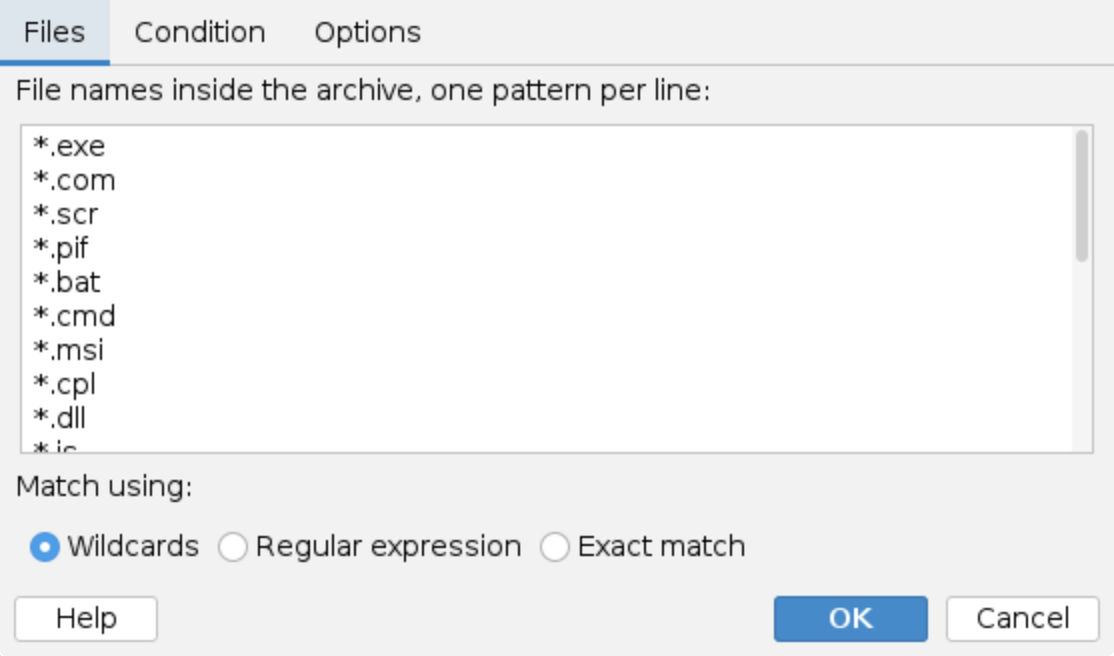
It does not trust what the sender says. An archive is recognised by its content, so a ZIP
attached as invoice.pdf is still inspected. An optional check also catches programs by their
content, so statement.pdf that is really a Windows program matches too. Archives inside archives
are opened up to three levels deep, and size limits keep a crafted “zip bomb” from stalling the
server.
The condition can match when any file is dangerous, or only when an archive holds nothing but scripts, leaving archives that mix documents and a tool alone.
Archives nobody can check
A password protected archive is a common way to get malware past antivirus scanning. The Attachment encrypted condition finds ZIP, 7z and RAR archives with encrypted files or encrypted file names, without decrypting anything. Pair it with Block message, add an exception for a trusted partner, or only mark the subject so recipients know to be careful.
This builds on blocking dangerous attachment types: that action looks at the attachment itself, these conditions look inside it.
Read more in the Archive content and Attachment encrypted documentation.
To learn more visit MSH Postfix Milter website.