Backup & Restore - From Staging to Production in One File
A careful Zimbra administrator tries new rules on a staging server first. Then comes the tedious part: rebuilding the same rules, templates and attachments by hand on production, and hoping nothing was missed. The same happens when Zimbra moves to new hardware, or when a reinstall wipes the configuration that took months to get right.
Everything in one zip
The Backup & Restore page, added in version 1.1, exports the configuration of MSH Zimbra Rules into one zip file: policy, signature, disclaimer and autoresponder rules, templates, stored attachments with their files, signature positioning and the server settings. Import it on the same installation after a reinstall, or on another one, such as production after staging.
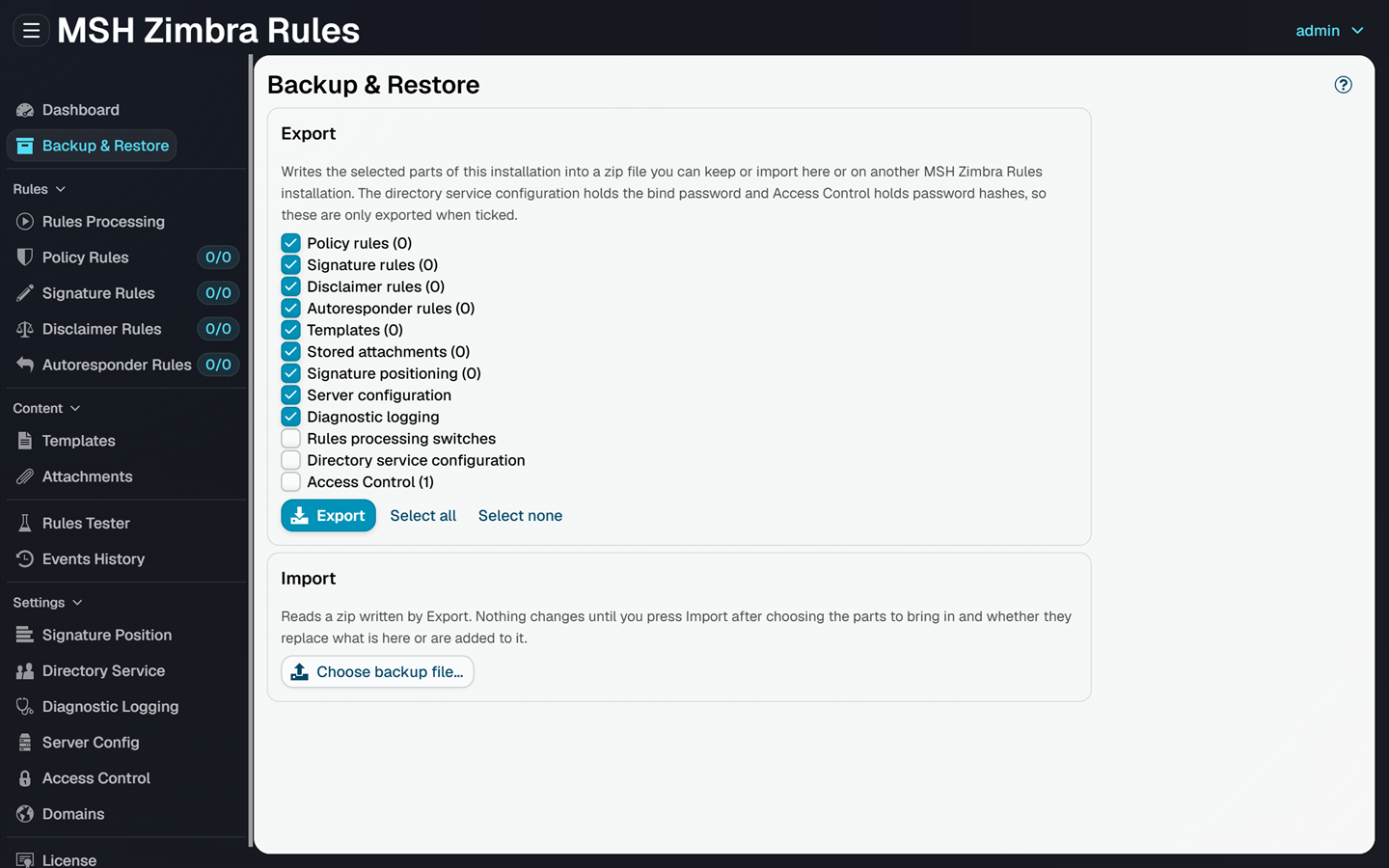
Every section can be ticked or left out, on export and again on import. Ticking a rules section also ticks the templates and attachments its rules depend on, so a backup does not arrive with rules pointing at nothing. Users and groups are not in the backup: they come from the Zimbra directory, and a sync on the new server brings them in.
Add or replace
The import has two modes. Add to what is here keeps the current configuration and adds the backup to it: rules from staging join the rules already on production, and a template that is already there with the same content is reused rather than copied. Replace what is here empties the selected sections first, for a server that should become an exact copy.
Nothing changes until you click Import, and the import runs as one transaction: if anything fails, the configuration stays as it was. Credentials get extra care. The directory service password and the administrator accounts are left out unless you tick them, and so are the Rules Processing switches, so a backup made during a pause does not pause the server you restore it to.
Read more in the Backup & Restore documentation and the Move rules between servers with Backup and Restore article.
To learn more visit MSH Zimbra Rules website.