Let a Script Decide With the External Script Condition
The built-in conditions cover senders, recipients, headers, content and attachments. But some questions only your own systems can answer. Is this attachment infected? Is the recipient a customer in the CRM? What spam score does another tool give this message? Since version 1.3, MSH Postfix Milter can ask a script, and let its answer decide whether a rule applies.
Your check, your verdict
The External script condition runs a script on the milter server for each message and matches on its exit code or on its output. The script gets the sender, recipients, subject and size in environment variables, and the whole message as a file or on standard input when it needs to look inside. The documentation includes examples, such as a ClamAV virus scan that blocks infected mail and a customer list lookup that keeps the disclaimer off mail to customers.
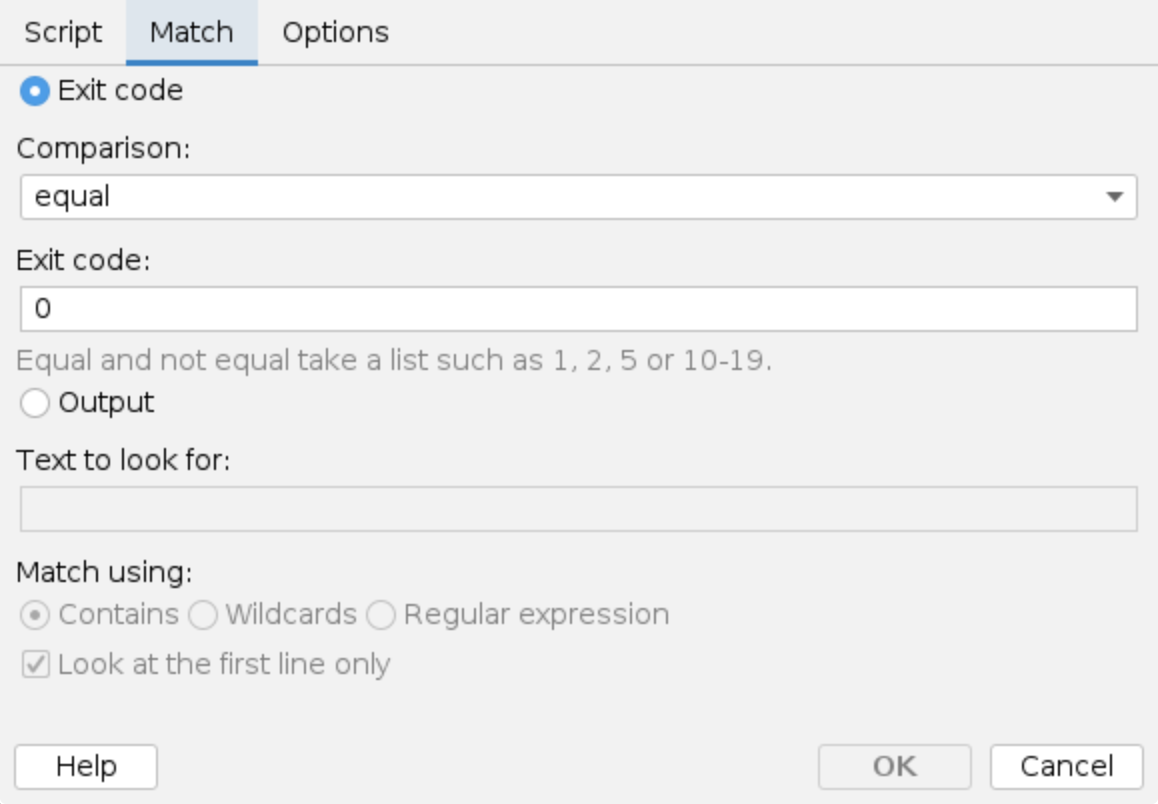
The result does not have to stop at yes or no. Saved under a name, the script’s output and exit code become variables, so a header or a notice can carry a spam score or the name of the customer it found.
Safe by design
Scripts run only from the scripts directory of the installation, never from a path typed into a rule, so an account that can edit rules cannot run arbitrary programs. A script that is too slow is stopped after a timeout you set, and you decide what a failed check means: a rule that blocks viruses can treat a scanner that is down as a match, so nothing unchecked gets through. A script used by several rules runs only once per message.
Not the same as Run executable
Run executable is an action: it runs a program after a rule has matched. External script is a condition: the script decides whether the rule matches at all.
The Rules Tester never runs scripts. Its test messages carry a simulated exit code and output, so you can check both outcomes of a rule before it goes live.
Read more in the External script documentation.
To learn more visit MSH Postfix Milter website.