MSH Zimbra Rules 1.3 Released
Signatures filled from the directory are only as current as the directory. A new mobile number usually means a ticket to IT and a wait for someone with access to Zimbra’s admin console. MSH Zimbra Rules 1.3 lets users keep the details in their own signature up to date themselves, within limits the administrator sets.
Change User Info in the web client
The new Change User Info zimlet adds an entry to the user menu of the Classic and Modern Zimbra web clients. Users see their own details and change the ones they are allowed to. Signatures, disclaimers and autoresponder texts use the values they set. The Zimbra directory itself does not change: the GAL and the address book keep the directory value, and Reset brings it back in the signature too.
The administrator decides
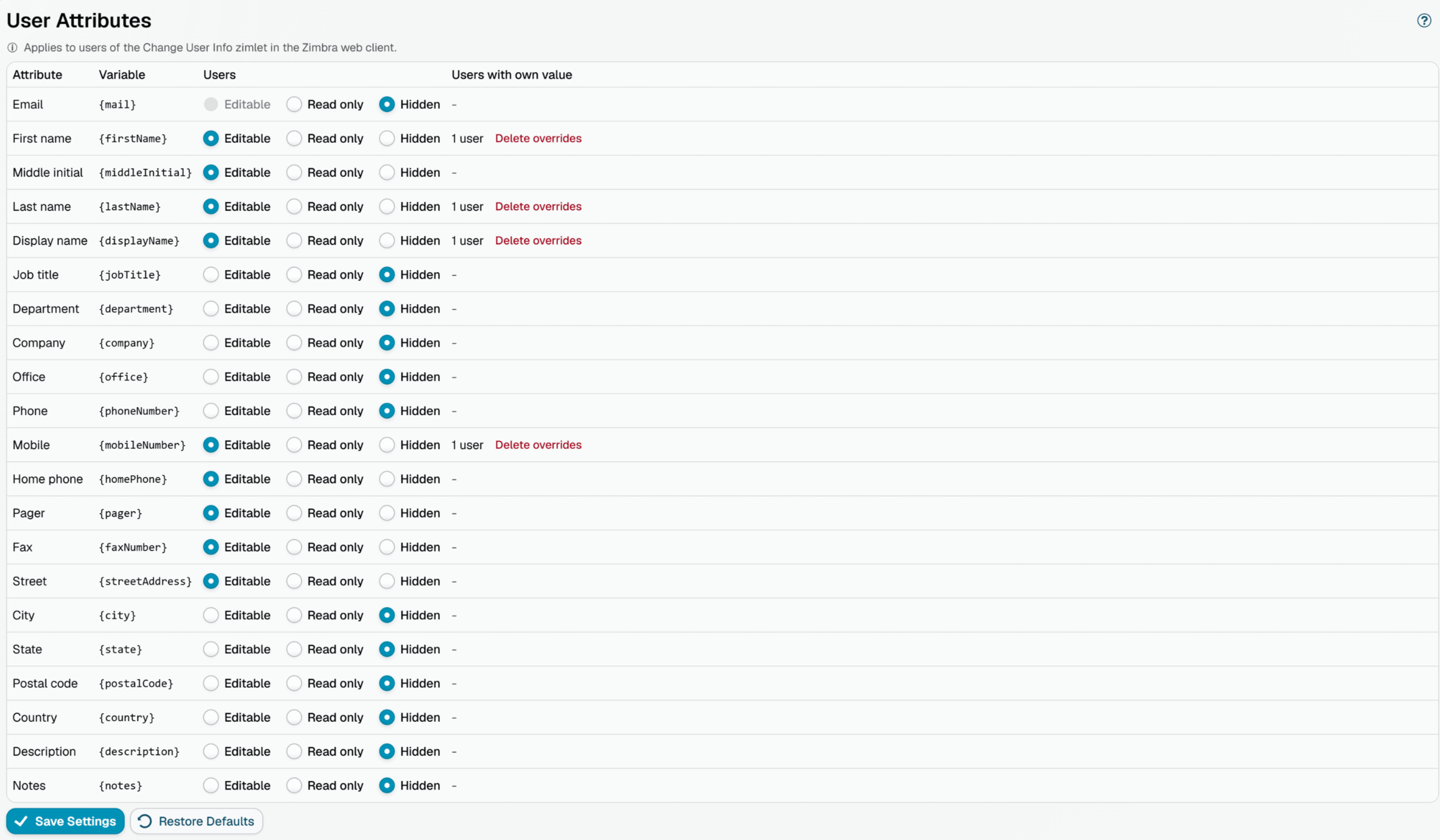
The new User Attributes page sets, for each attribute, whether users may edit it, only see it, or not see it at all, and shows how many users set a value of their own. Out of the box only the phone numbers are editable. Names and job title are usually owned by HR, so they stay read only until you decide otherwise. The user details on the Domains page show, for each attribute, the directory value, the value the user set and the value templates use.
Also in this release
- A new, light look for the administrator panel and the login page, with its font served by the application itself, so nothing is loaded from the internet.
- Reply… in the Rules Tester gives the test message the headers of a real reply, so the Message type condition sees it as one.
- The duplicates protector no longer adds a disclaimer twice when its first word, usually the company name, also appears in the quoted signature.
- Bounces, delivery notifications and read receipts pass unchanged, and no autoresponder answers them.
The full list is in the release history.
Read more in the Change User Info and User attributes documentation.
To learn more visit MSH Zimbra Rules website.