Let Users Update Their Own Details in Zimbra
A signature filled from the directory has one weak spot: the directory. Mobile numbers change faster than anyone updates LDAP, a new colleague’s name is spelled the way it was first typed, and the person who notices is the user, not the administrator. Every such fix becomes a ticket, and every ticket is a small task for someone who has better things to do.
Fixed by the person who knows
Since version 1.3, users open Change User Info from the user menu of the Classic or Modern Zimbra web client and see the details that go into their signature. They change what they are allowed to change, click Save, and new messages use the new value within a minute, on every server of the installation.
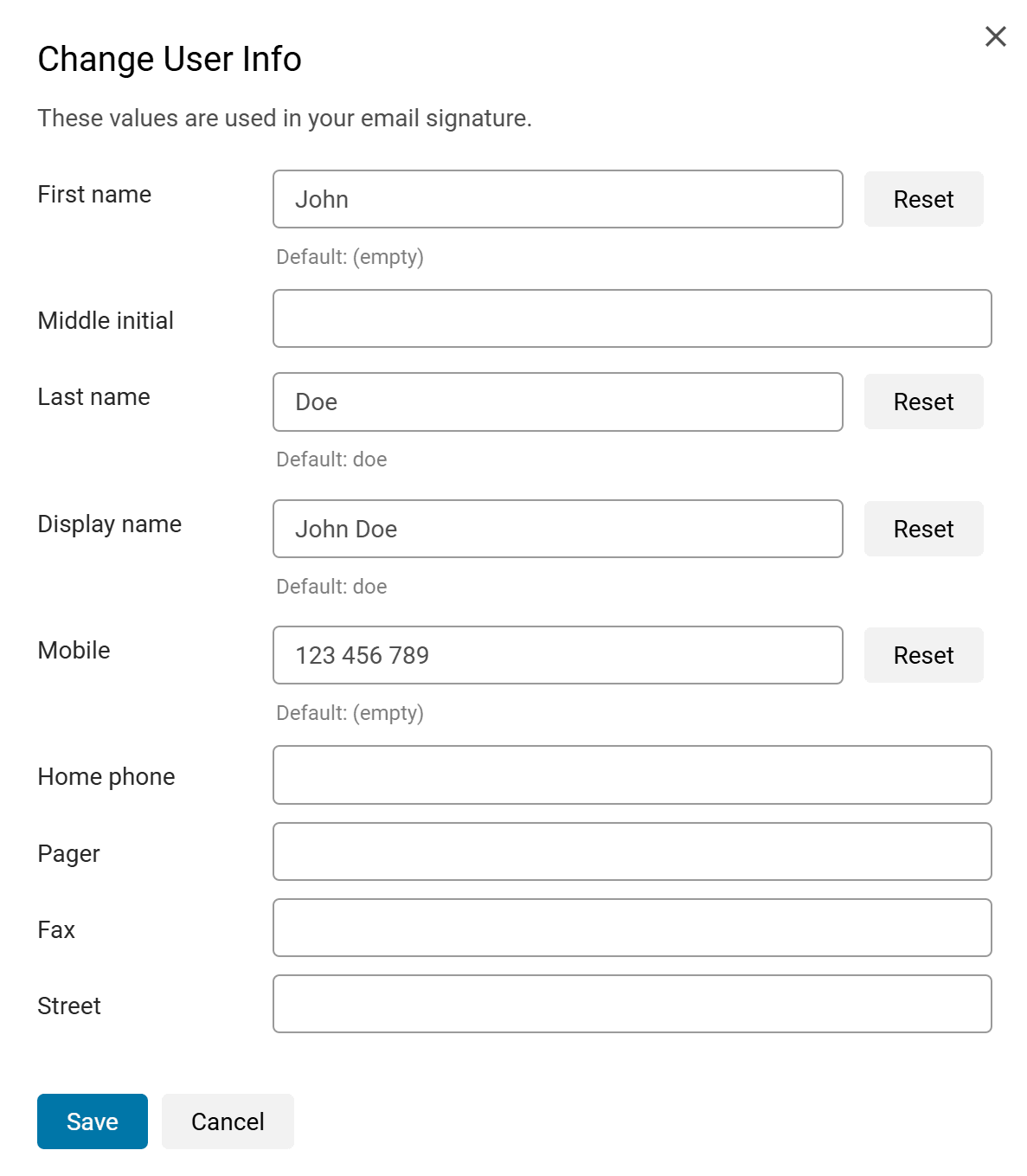
Each changed field shows the directory value underneath it, and Reset puts it back. Clearing a field is allowed too, for someone who wants no mobile number in their signature at all.
The directory stays as it is
The values users set are used only in the messages MSH Zimbra Rules processes: in signatures, disclaimers and autoresponder texts. Zimbra’s directory, the GAL and the address book keep the original value. A user cannot rename themselves company-wide, and a change in the directory still shows up for everyone who has not set a value of their own.
Within limits you set
On the User Attributes page the administrator chooses, for each attribute, Editable, Read only or Hidden. Out of the box users may change their phone numbers and only see their names, job title, department, company and office. The email address can never be edited, because it decides which rules match. Making an attribute read only again sets every signature back to the directory value, and Delete overrides removes the users’ values for good.
Read more in the Change User Info and User attributes documentation.
To learn more visit MSH Zimbra Rules website.