MSH Postfix Milter 1.3 Released
MSH Postfix Milter 1.3 gives you more control over when rules run and a closer look at what messages carry. You can pause rules without touching them, look inside archives, let your own script decide whether a rule matches, and recognise encrypted and signed mail. One change needs attention before you update: Run executable now runs only programs from the scripts directory.
Pause rules without deleting them
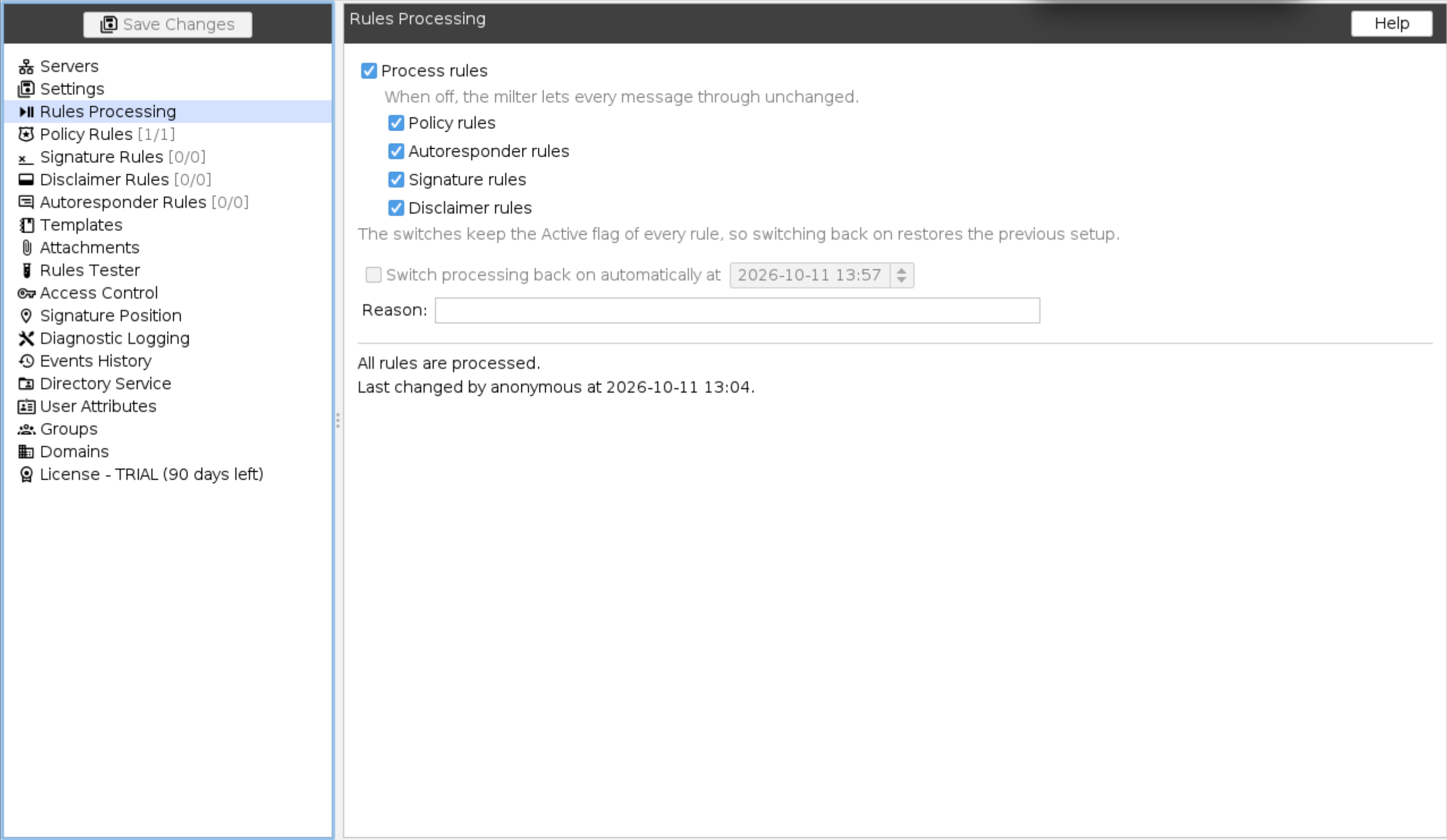
The new Rules Processing node suspends all rules, or one rule type, without changing the rules themselves, and can switch processing back on at a set time. The state is shown in the rule panels and in the processing trace, so nobody wonders later why a signature was missing.
A closer look at messages
- Archive content matches on the files inside ZIP, 7z, RAR and TAR attachments, such as an executable hidden in a ZIP. Attachment encrypted matches password protected archives.
- External script runs a script from the scripts directory and matches on its exit code or output, for example a virus scan or a CRM lookup. Its result can be used in actions as a variable.
- Message type recognises S/MIME and OpenPGP encrypted and signed messages.
- Change message format turns plain text mail into styled HTML, or HTML mail into plain text.
The Rules Tester compose dialog is now laid out in tabs, with plain text messages, attachments, headers, signed and encrypted test messages and simulated script results.
Before you update: Run executable
Since 1.3 the Run executable
action runs only programs from the scripts directory, /opt/msh-pm-milter/scripts by default. A
rule whose program lies outside it stops running after the update. Move each such program, or a
wrapper script that calls it, into the scripts directory before or right after updating.
Fixes in 1.2.2 and 1.2.4
The maintenance releases published since 1.2 fix single-part messages, for example from Outlook Mobile, that arrived unreadable after a rule changed them, signature images that could swap places further down a reply chain, and recipients with a comma or UTF-8 characters in their name or address.
The full list of changes is in the release history.
Read more in the Rules Processing and Server module update documentation.
To learn more visit MSH Postfix Milter website.